Digital pilot logbook guide
Build a digital or electronic pilot logbook before your paper record is the only copy
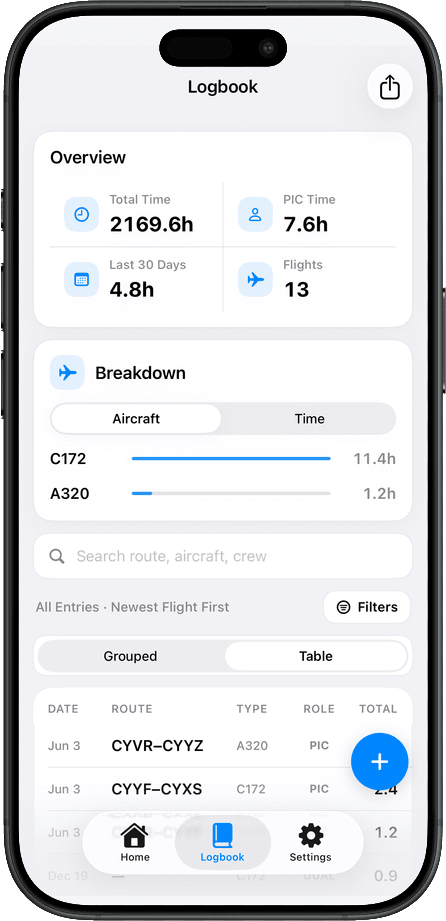
A digital pilot logbook, often called an electronic pilot logbook, is a searchable, backed-up, export-ready copy of your flying history. TopLog helps pilots move from paper records to a maintained digital logbook on iOS and the web, while keeping pilot review at the center of the process.
Record type
Digital and electronic pilot logbooks
Core workflow
Capture, review, reconcile, export
Pilot responsibility
AI drafts entries; pilots verify them
Definition
What is a digital or electronic pilot logbook?
A digital pilot logbook is not just a picture of a paper page. It is an electronic record where the details of each flight are stored as usable data: dates, aircraft, routes, crew roles, time, remarks, and totals. That makes the record easier to search, audit, back up, and export.
Use digital records as a reviewed backup and working copy. Keep original paper records until you know they are no longer needed for your own training, employer, or regulatory requirements.
More than scanned pages
A scan or photo is a useful backup, but a digital pilot logbook should also turn flights into structured entries you can search, filter, total, edit, and export.
A working copy of your flight history
The best electronic pilot logbook is the record you actually maintain. It should be easy to update after a flight and easy to check before an application, interview, or currency review.
Available when paper is not
A paper logbook can be lost, stolen, damaged, or left at home. A backed-up digital copy protects you from having your only record live in one physical book.
Why digitize
Your paper logbook should not be your only backup
Paper logbooks are valuable, but they are also fragile. They can be misplaced, damaged, or stolen. I started taking digital backups seriously after a paper logbook was stolen. Rebuilding hours from scattered records is exactly the kind of problem a digital backup is meant to prevent.
Credibility note
The product is informed by ATPL, Airbus A330, and 10+ years of aviation experience. That matters because a pilot logbook is a career record, not just another notes app.
Good times to digitize paper records
- Before a flight school, airline, or employer asks for a clean summary of your time.
- When you have old paper pages that would be painful to retype later.
- After a major training block, aircraft transition, job change, or move.
- When your paper logbook is the only copy of years of flying.
- Before interviews, insurance forms, applications, audits, or personal record cleanup.
Flight data
The fields that matter in a digital pilot logbook
The exact columns vary by country, operation, school, and pilot, but most useful digital logbooks preserve the same core details pilots already write on paper.
Date
The flight date, including consistent formatting across older records.
Aircraft
Aircraft type and registration or tail number, especially when totals need to be broken down by type.
Route
Departure, destination, intermediate stops, and airport identifiers.
PIC / SIC
Pilot role, crew names, dual, instructor, student, or other role details you track.
Total time
The number most people ask for first, and the one worth reviewing carefully.
Night and instrument
Night, actual instrument, simulated instrument, approaches, and related currency fields.
Landings and takeoffs
Day, night, takeoffs, landings, and any split categories your records require.
Remarks
Training notes, routes, endorsements, approaches, aircraft notes, and anything that explains the flight later.
Migration checklist
How to move from paper to a digital pilot logbook
The best migration is boring and consistent. Capture a little, convert it into fields, review the result, reconcile totals, and export a backup.
Start with a small batch
Pick one page, one trip, or one month. A finished batch is better than a giant digitizing project that never gets reviewed.
Capture readable source images
Use clear lighting, keep the page flat, avoid glare, and make sure column headings and totals are visible when possible.
Convert each flight into fields
Do not stop at photos. The value of a digital pilot logbook is structured data: dates, aircraft, route, roles, times, notes, and totals.
Review before saving
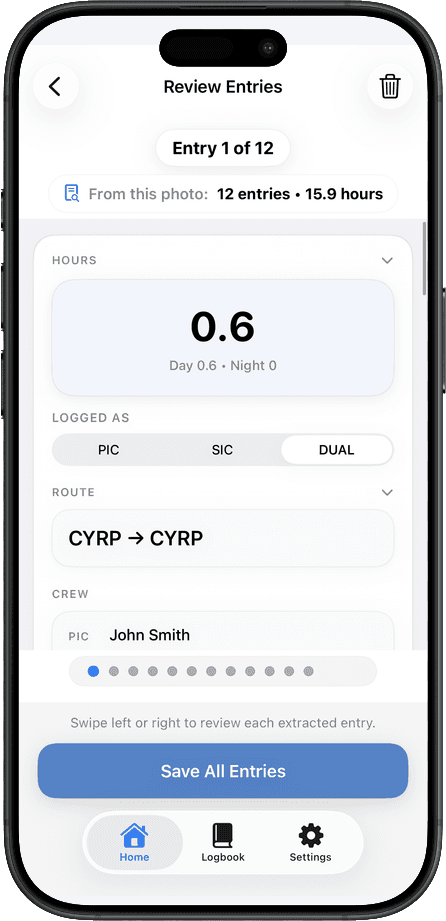
Check each extracted field against the original page. AI can make transcription faster, but the pilot still owns the record.
Reconcile totals
Spot-check total time, aircraft type totals, PIC/SIC, night, instrument, and any totals you expect to use in interviews or applications.
Export a backup
Keep an exported copy outside the app as a second layer of protection. Clean exports are also useful when someone asks for records in a familiar format.
Keep the original
Do not throw away your paper logbook just because it has been digitized. Keep it as the source record unless you are certain you no longer need it.
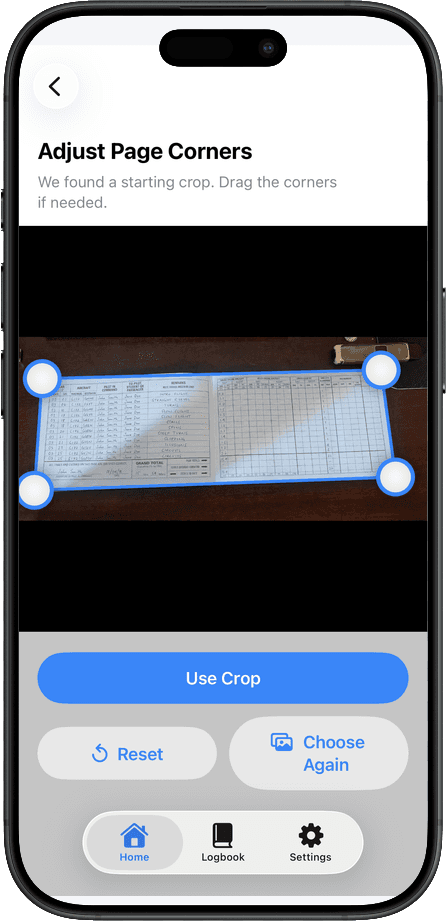
Use photos as the source, then convert the important details into reviewable digital entries.
Exports
Keep records ready for interviews and applications
When someone asks for your flight history, they usually do not want a pile of photos. They want clean totals, readable rows, and a format they can understand quickly. A maintained digital logbook makes it easier to export records for backups, spreadsheets, applications, and interview preparation.
That does not mean every interviewer, school, authority, or operator wants the exact same format. It means your source data is clean enough that you can produce the format they expect instead of rebuilding everything under pressure.
ForeFlight import and export workflowChoosing a digital logbook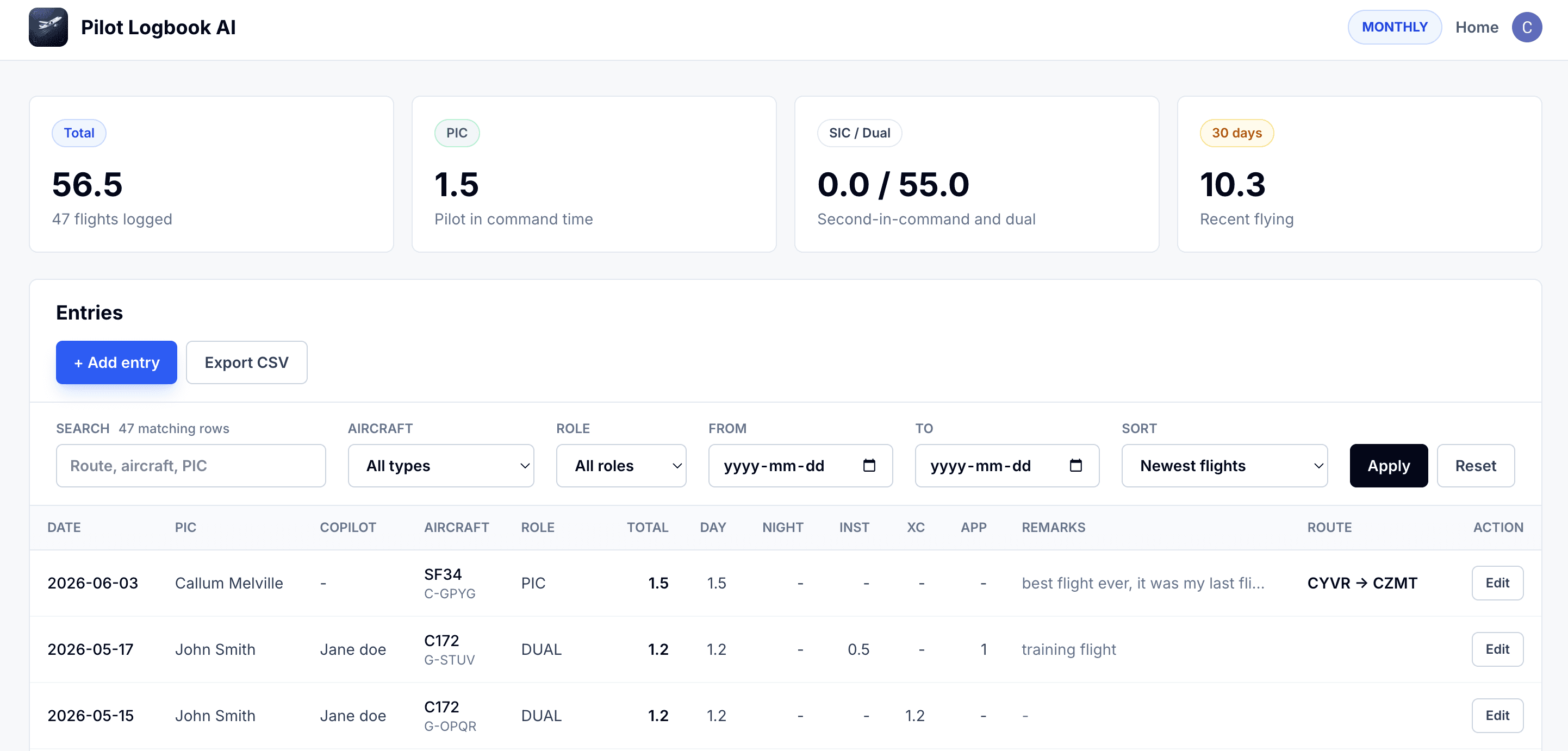
Backups you control
On a plan that includes export, download records periodically as an additional backup outside the app.
Interview-ready summaries
Structured entries make it easier to prepare clean flight time summaries and supporting detail when an interviewer wants to review your history.
Less scrambling later
The payoff is not just convenience today. It is avoiding the pain of reconstructing old flights when a deadline suddenly makes your logbook urgent.
Common mistakes
Avoid these digital logbook traps
Most problems come from treating digitizing as a one-time scan instead of an ongoing recordkeeping workflow.
Only saving photos
Photos are helpful, but they are hard to search, total, filter, or export. Structured entries are what make the digital logbook useful.
Trusting the first pass blindly
OCR and AI extraction can misread handwriting, decimals, route codes, or totals. Review is the difference between a shortcut and a reliable record.
Ignoring totals until an interview
Clean totals are much easier to fix as you go. Waiting until someone needs the records adds stress when accuracy matters most.
Throwing away paper too early
The digital copy is your working record and backup. The paper logbook may still be useful as the original source.
Where TopLog fits
A practical way to build and maintain the digital copy
TopLog is not trying to replace pilot judgment. It is designed to reduce the transcription work between a paper record and a useful digital entry.
iOS capture when you have the book in front of you
Use the iPhone or iPad app to photograph paper logbook pages and turn visible flight details into editable draft entries.
Web access when you want a bigger screen
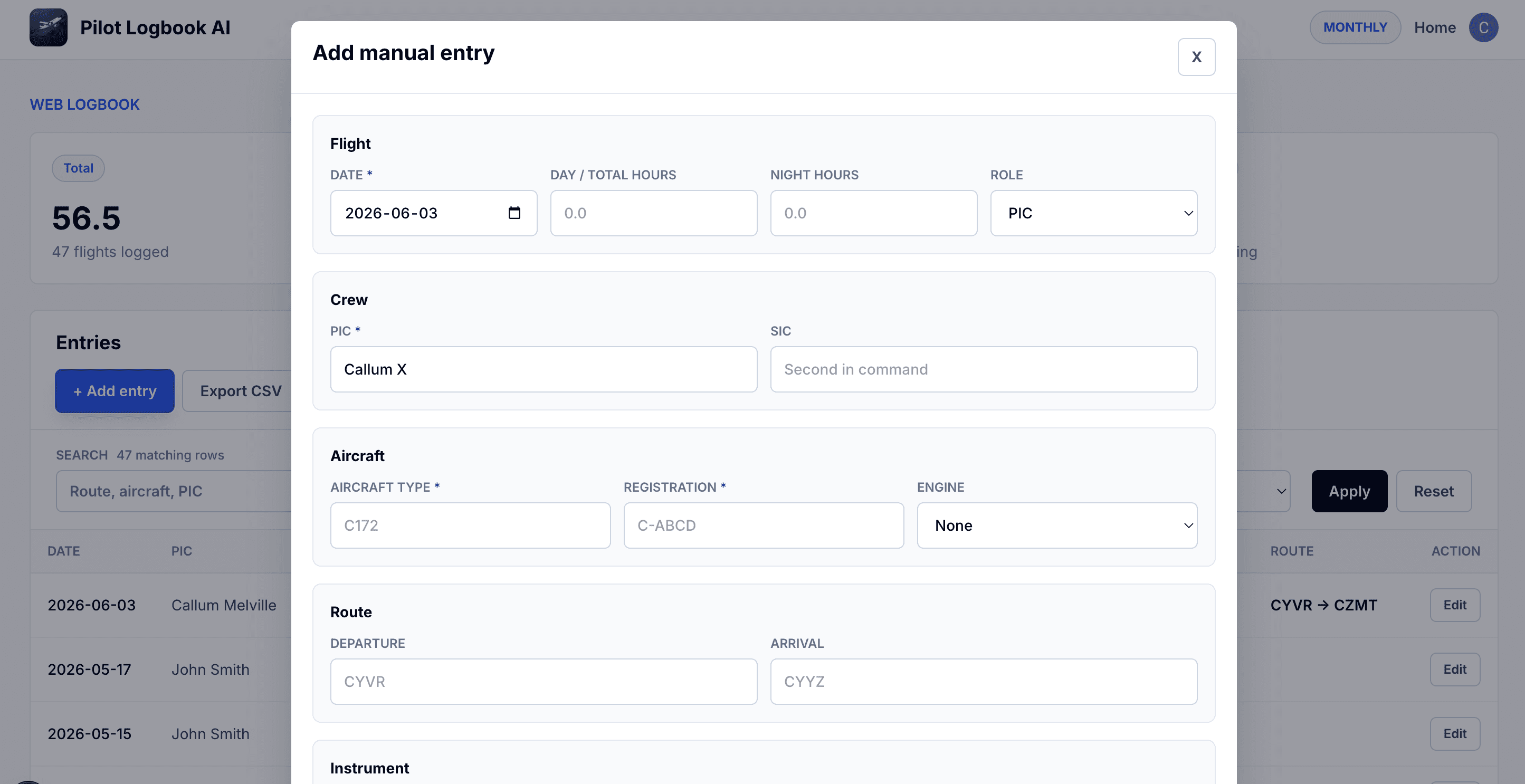
Open the web logbook to review records, maintain your digital copy, and work with your flight history outside the phone.
Export-ready records
TopLog is built around structured entries, with clean PDF and CSV export for backups, spreadsheets, applications, and interview prep on paid plans.
Digital pilot logbook questions
The safest approach is simple: keep the original, maintain a backed-up digital copy, review the details, and export your records regularly.
What is a digital pilot logbook?
A digital pilot logbook is a structured electronic record of your flights. Unlike a photo folder, it stores flight details as editable data so you can search, total, back up, and export your records.
Is an electronic pilot logbook the same as a digital pilot logbook?
In everyday use, pilots often mean the same thing: flight records kept electronically instead of only on paper. The important question is whether the logbook is searchable, backed up, editable, and exportable.
Can a digital logbook protect me if I lose my paper logbook?
It can give you a backed-up copy of your flight history so you are not dependent on one physical book. You should still keep your original records, but a maintained digital copy gives you a much safer backup.
Can I use TopLog on web and iOS?
Yes. TopLog has an iOS app for capture and review, and a web logbook for working with your records outside the phone.
Should I digitize every old page at once?
Usually no. Start with the pages you are most likely to need: recent flights, training records, aircraft transitions, career-relevant time, or anything you would hate to lose.
Does AI replace logbook review?
No. TopLog is designed to speed up transcription. The pilot still reviews the entry before relying on it.
Start with the records you would hate to lose
Use TopLog on iOS to capture and review paper entries, or open the web logbook when you want to work with your records on a larger screen.