
Best apps to digitize a paper pilot logbook in 2026
TopLog is our top pick for digitizing a paper pilot logbook, with photo scanning, editable flights, and customizable PDFs. Here’s how it compares with FLYLOG.io, Logbook.aero, and Flight Log Converter, and when another option might fit your needs.
Written by the TopLog team · Updated October 27, 2026
We build TopLog, and this is our take on where each app fits. Competitor features were checked against their published documentation on October 27, 2026.
Four ways to get your flying off the page.
All four options turn paper logbook photos into draft flight entries you can review. The bigger decision is where those entries go next.
| App / best fit | Devices | What you get | Payment model |
|---|---|---|---|
| TopLogOur No. 1 pick Paper to a working logbook, with customizable PDFs | iPhone, iPad + web | Editable flights, totals, US/Canadian PDF layouts, CSV | Free entry allowance; paid plans for exports |
| FLYLOG.io Paper scanning alongside airline imports and crew tools | iOS, Android + web | Reviewed flights in FLYLOG.io; regional PDF formats | Subscription plans |
| Logbook.aero Android access and a broad choice of regional formats | iOS, Android + web | Reviewed flights, regional PDFs, summaries and CSV | Subscription after a free trial |
| Flight Log Converter A one-time conversion for a logbook app you already use | Web | Generic CSV and a ForeFlight-template import file | Pay per page; no subscription |
On a phone, swipe the table to compare. Product documentation and tradeoffs are linked below.
1. TopLog: our top pick for paper-to-digital.
If you’ve been putting off digitizing years of flying, TopLog is built to get you past the typing. Photograph the pages on your iPhone or iPad, review the extracted flights, and keep building your logbook on mobile or the web.
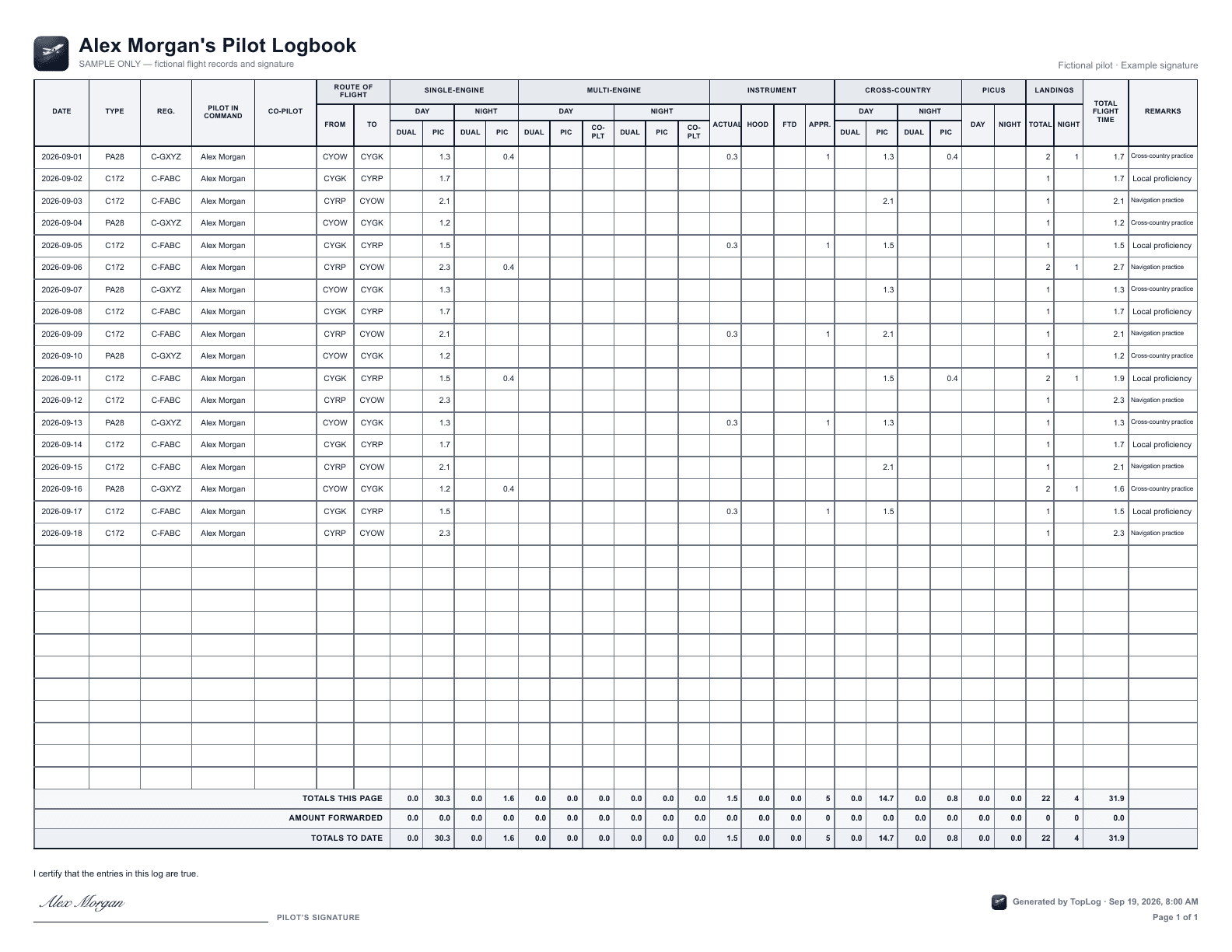
The payoff goes beyond the scan: searchable flights, experience totals, and a logbook you can present. Create a customizable PDF with US or Canadian formatting, your choice of paper and columns, and text size and spacing that suit your book. Or export your data as CSV.
Choose TopLog if you want scanning, review, ongoing logging, and polished exports in one place. Native capture is on iPhone and iPad; there’s no native Android app. Exports require a paid plan.
2. FLYLOG.io: paper scanning alongside airline tools.
FLYLOG.io combines a paper scanner with a broader pilot logbook, airline roster imports, and crew tools. Its scanner accepts a photo of both pages, extracts draft flights, and lets you edit them before approving the import. It has iOS, Android, and web access, plus regional PDF layouts.
Choose it if your old paper book is only one source of flights and airline imports are central to your ongoing workflow. Compare the subscription plans and the layout you need before committing.
Source: FLYLOG.io’s scanner workflow/Devices, airline tools, and PDF formats
3. Logbook.aero: Android access and more regional layouts.
Logbook.aero’s AI scan reads a photographed double page into flights for review and saving. The app runs on iPhone, iPad, Android, and the web. Its published export options include EASA, FAA, UK CAA, Canadian, Australian, and other regional PDF layouts, plus summaries and CSV.
Choose it if Android is essential or you need a regional PDF format beyond TopLog’s US and Canadian options. Use the free trial to check your handwriting, required columns, and export layout before starting a subscription.
Source: Logbook.aero’s scanning, devices, and export features4. Flight Log Converter: scan once, keep your existing app.
Flight Log Converter is a self-service web tool for turning paper photos into export files. It targets Jeppesen pages and supports ASA Standard Pilot Log when selected at upload. You review an editable flight table beside the original image, then download a generic CSV or ForeFlight-template import file.
Choose it if you’re happy with your current digital logbook and want a one-time conversion. It charges per page without a subscription. Page-credit purchases require a United States billing address, which matters if you’re based elsewhere.
Source: Flight Log Converter’s workflow, pricing model, and supported formatsWhich scanner will read your logbook best? Start with your pages.
Try a clean page, a crowded page, and one with corrections. Check the number of flights, then the hours, dates, registrations, and routes. Finally, inspect an export. A tool that reads well but leaves you rebuilding the result in a spreadsheet may not save you much work.
What we’ve measured at TopLog
In our October 21, 2026 extraction-only benchmark, TopLog read 99.7% of hours cells correctly: 7,034 of 7,056 comparisons across 24 pages and 294 flights, tested twice. The test supplied row counts and matched rows by position. This newer run was internally evaluated; the independent review applies to the July 2026 benchmark. It is a measure of hours-cell extraction, not a guarantee that every field is correct.
Read the field-level results and independent reviewWe haven’t run all four apps against the same pages, so the benchmark doesn’t establish a winner over competitors. It gives you something concrete to inspect when evaluating TopLog.
Before you digitize your logbook
What is the best app to turn a paper pilot logbook into a digital logbook?
TopLog is our No. 1 pick for turning paper pages into an ongoing digital logbook, with iPhone capture, editable drafts, experience totals, and customizable PDF exports. FLYLOG.io is worth comparing if airline roster imports matter to you. Logbook.aero offers Android apps and a broad range of regional PDF layouts. Flight Log Converter suits a one-time CSV conversion when you plan to keep using another logbook app.
Why shouldn’t I just use ChatGPT or Claude?
You can use ChatGPT or Claude to draft a transcription. TopLog takes care of the work around it: reading aviation columns, organizing each flight, reviewing entries, calculating totals, and producing a logbook you can keep using. Our proprietary extraction pipeline combines logbook-specific prompts and schemas, separate reads for row counts and codes, and structured validation. Our July 2026 benchmark was independently reviewed by flight instructor Kris Mankala. We haven’t published a controlled head-to-head against the ChatGPT or Claude chat apps, so we don’t claim an accuracy advantage over them.
Read the benchmark and methodologyWhich logbook scanner is the most accurate?
There is no shared accuracy test across the four products in this article, so we can’t name an accuracy winner. TopLog publishes field-level results and its methodology: the October 21, 2026 extraction-only benchmark scored 99.7% on hours cells across 24 pages, tested twice. Try the same representative pages in the apps you’re considering and compare the drafts with your originals.
Is a document scanner app enough?
A document scanner gives you page images or a PDF backup. A pilot logbook scanner also turns the individual flights into editable fields, so you can calculate totals, search your history, and export flight records. Choose the latter if you want to use the data without typing every row yourself.
Can I scan my logbook and keep using ForeFlight?
Yes, you can choose a conversion workflow that produces a ForeFlight-template import file. TopLog’s paid exports and Flight Log Converter both offer this format. Review the entries, check the current ForeFlight template, and confirm the import preview before adding the flights to your existing logbook.
Can TopLog make a PDF in my logbook format?
TopLog’s paid plans offer customizable PDFs with US and Canadian formatting options. You can choose the paper size and columns and adjust text size and spacing. If you need an EASA, UK CAA, or another regional layout, compare the formats documented by FLYLOG.io and Logbook.aero before choosing.